DAP Help
Posting to Twitter with DAP
This feature is only available in DAP versions 9.3, through 9.4.0.7.DAP includes the built in option to post updates to Twitter. You can tweet about anything you like, or you can use the Tweet this download feature to post the name and shortened download URL of files you download with DAP.
To post an update to Twitter:
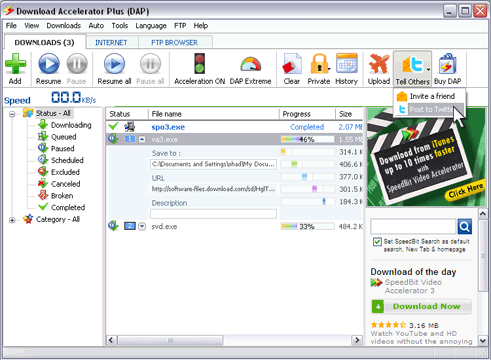
- Click the Tell Others button on DAP's main toolbar, and select the Post to Twitter option from the drop down menu. The Twitter update dialog box appears.
- Type your message into the Post to Twitter field, or use the default message that is provided to let your followers know how many files you have downloaded.
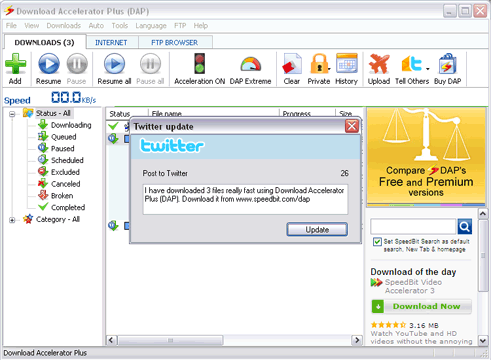
- Click Update.
The Twitter login dialog box appears, and prompts you to enter your Twitter username and password. If you select the Remember me option, you will not need to enter this information again.
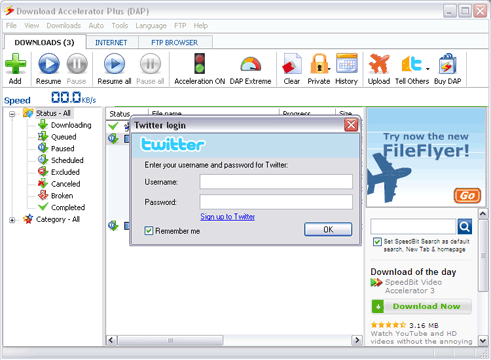
- Enter your Twitter login information into the appropriate fields, and then click OK.
Your update is posted to Twitter.
Note: If you select the Remember me option, and you wish to post to another Twitter account, you can enter different Twitter login information. From the Twitter update dialog box , click the triangle next to the Update button, and then select the Update another Twitter account option.
You can also post an update about a specific download with the Tweet this download option.
- Click the Twitter icon next to any download in the DOWNLOADS or COMPLETED DOWNLOADS tabs. You can also right-click any download and select the Tweet this download option.
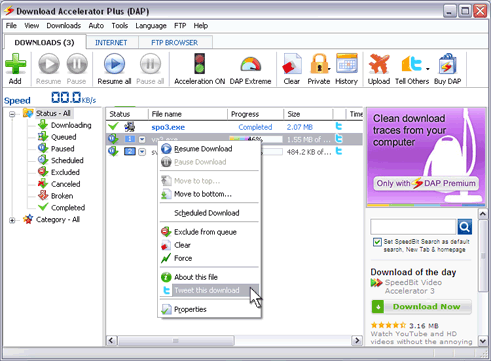
- A message appears with the name of the download, and a placeholder where a short URL link to the file is inserted.
- Click Update to post the message to Twitter. You can also click the triangle next to the Update button, and then select the Update another Twitter account option to post to another Twitter account.







Custom Search