DAP Help
Navigating within Download Accelerator Plus
DAP gives you complete flexibility and control of your downloads.
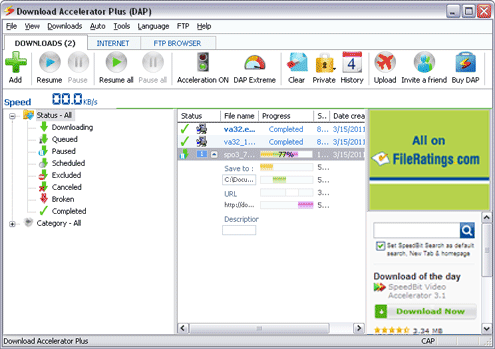
DAP's main window is divided into three sections:
- DOWNLOADS - here you can find and manage your current downloads. You can manage queues, schedules and progress. You can also view your completed downloads history, and access downloaded files or re-downloaded files.
- INTERNET - use the Search tab feature to browse the web within DAP or search for files you want to download via FileRatings.com.
- FTP BROWSER - A robust FTP Browser provides a complimentary enhancement to DAP, featuring: an FTP Site browser, site structure preservation, password manager, site manager (History), and single and multiple-file download management through DAP's engine.