DAP Help
DAP Log File
DAP allows you to locally log your downloads. The download log is stored on your PC as a.TXT or .HTML file, and may be accessed only by you.
The log file provides you with an accurate chronological history of all the downloads you have initiated.
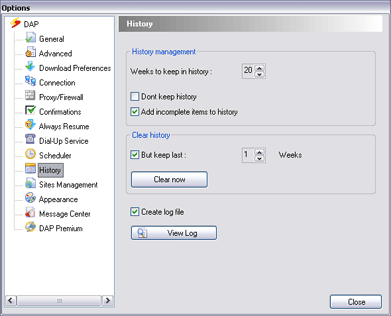
To view the Log File, go to DAP's main window and click Tools and then click Options. DAP's Options window appears.
In order to generate the DAP activity log choose History, then select the Create Log File option. The log file is generated in txt format.