Connection Type
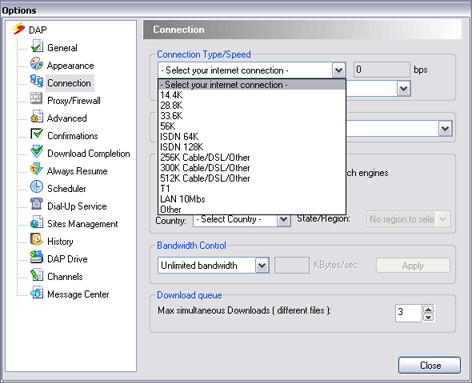
DAP enables you to adjust the acceleration (download speed), by selecting your internet connection.
To choose your connection type:
- In DAP's main window, select the 'Tools' menu and choose 'Options'. DAP's configuration window will appear.
- Choose the 'Connection' option from the configurations screen, to display the 'Connection' options.
- In the Connection Type/Speed' box select your computer's connection type or speed. If you selected 'Other', then enter the connection speed in bps value.
- Click 'Close'.